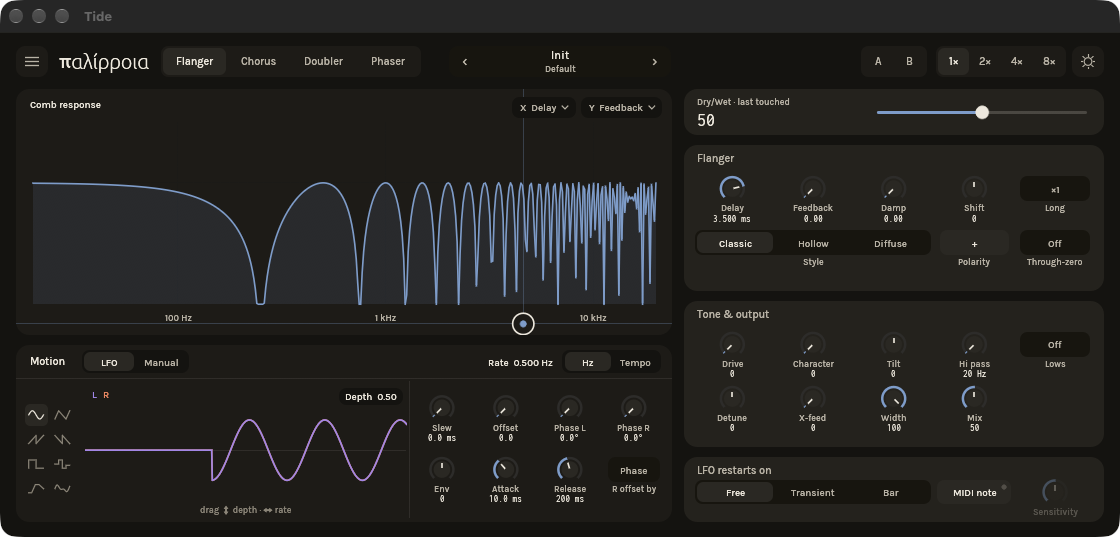
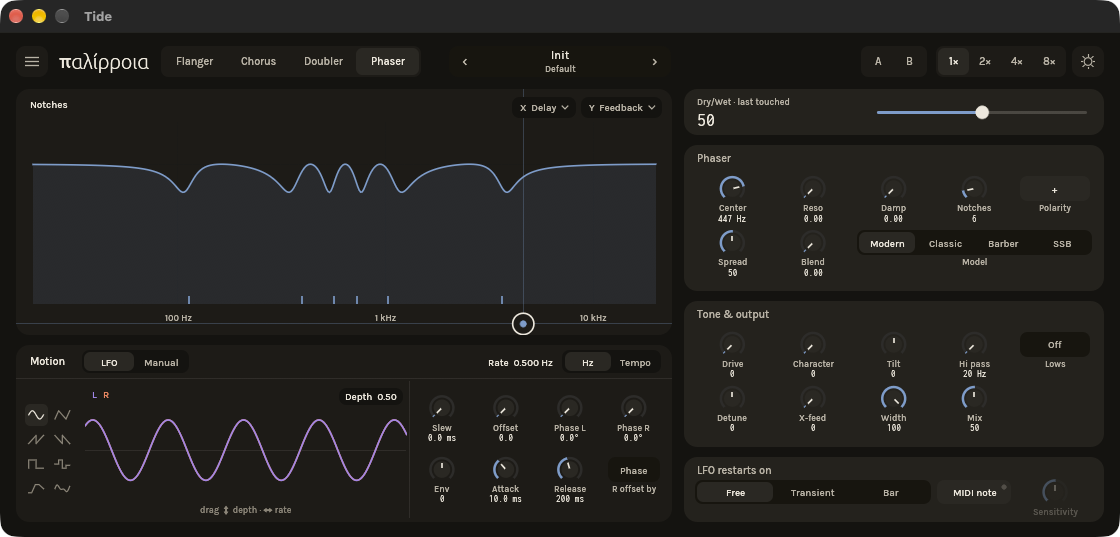
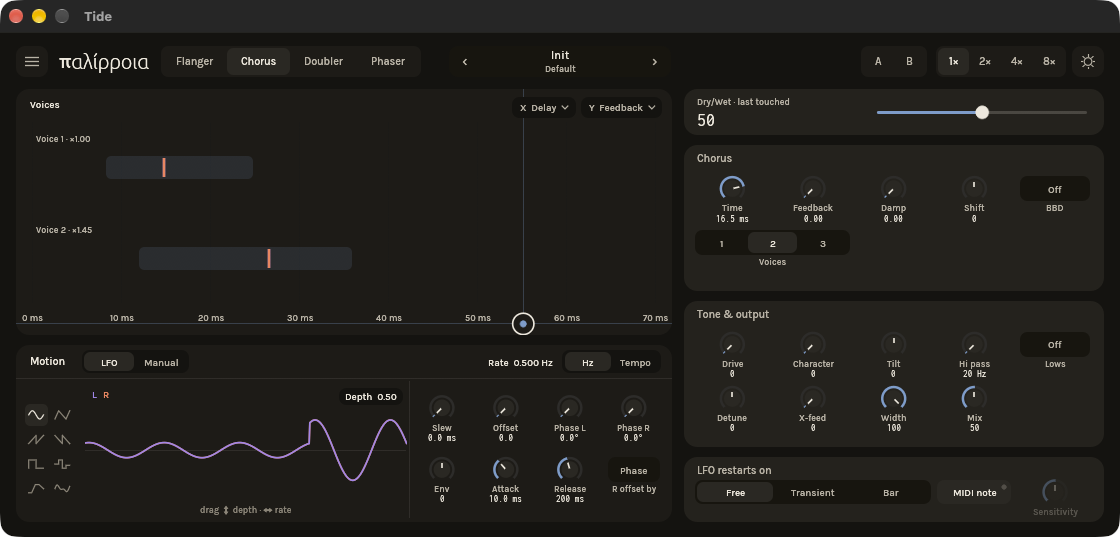
The comb response. Drag on it: it is also an XY pad on delay and feedback.
modulation suite in development
Tide
Phaser, flanger, chorus and doubler in one instrument of tides. Slow, deep movement with feedback that is allowed to sing.
One email when it's ready, nothing else.
- formats
- VST3 · CLAP · AUv3
- runs on
- macOS · Windows · iPadOS
Four swirls share one feedback loop, and the loop is allowed to sing.
Damping and drive sit inside the loop, and the low end takes its own path around it, so heavy settings stay solid underneath.
The sweep runs free, follows the tempo, or restarts on transients, on the bar or from MIDI notes. The big display in the middle is also an XY pad.
on the faceplate
14 controls in 3 groups, named as the plugin labels them.
01Modes
02Motion
03Tone and output
The display is the controller
Each mode draws its own live view, and dragging on it moves the two parameters you pick.
Sweeps that land on time
Restart the LFO on transients, bar lines or MIDI notes, so the swirl follows the music.
A phaser that never ends
The barber-pole model rises forever without ever arriving.
Movement that comes in and goes out like water.
- Tide VST3 and CLAP, macOS and Windows
- free updates within version 1
One email when it's ready, nothing else.
- formats
- VST3 · CLAP · AUv3
- runs on
- macOS · Windows · iPadOS
before you buy
How many computers can I use it on?
Three at a time. Sign in once from the plugin and it checks its licence on that computer without going online again. Deactivating a computer, from the plugin's settings or from your account page, frees its slot.
My studio computer is offline. Can I still activate?
Yes. The plugin shows a machine ID; paste it on your account page and download a licence file for that computer. It counts as one of your three.
Do updates cost anything?
Not within the version you bought. Download them from your account page.
Is the iPad version included?
No, the iPad version is sold separately on the App Store, and Apple handles that licence. A desktop licence covers macOS and Windows.